
Difference between Ad manager & business manager on Facebook Meta
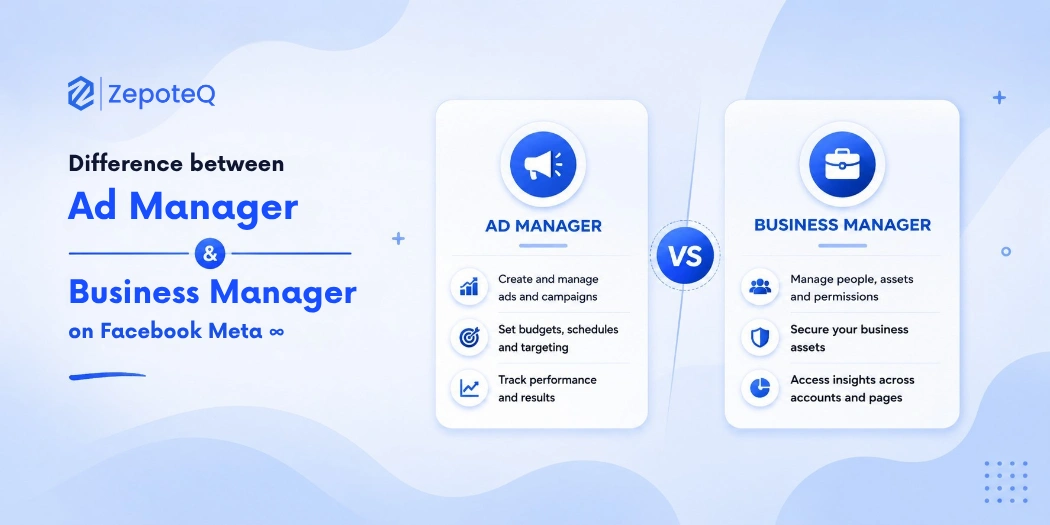
Facebook Meta has become one of the most powerful digital marketing platforms for businesses in 2026. Whether it is ecommerce, retail, healthcare, education, restaurants, or local businesses, companies are using Meta platforms to reach customers, generate leads, improve brand awareness, and increase sales.
However, many businesses and beginners become confused when they hear terms like:
- Meta Ad Manager
- Meta Business Manager
- Facebook Business Suite
- Meta Ads Platform
One of the most common questions businesses ask is:
“What is the difference between Ad Manager and Business Manager on Facebook Meta?”
Although both tools are connected, they serve completely different purposes.
Understanding the difference between Meta Ad Manager and Business Manager is important because businesses need both tools for proper advertising management, team collaboration, asset control, and campaign performance tracking.
Companies like Zepoteq help businesses manage Meta marketing systems, digital advertising strategies, and social media business solutions more effectively.
This guide explains the difference between Ad Manager and Business Manager in a simple and practical way for businesses and marketers.
What Is Meta Business Manager?
Meta Business Manager is a centralized platform that helps businesses manage all their Meta assets in one place.
It acts like a control center for:
- Facebook Pages
- Instagram accounts
- Ad accounts
- Team members
- Pixels
- Catalogs
- Business settings
- Permissions
- Client accounts
Business Manager is mainly used for:
- Business organization
- Team management
- Security
- Access control
- Multi-account management
Think of Business Manager as the “office” where all business assets are stored and managed.
Main Features of Meta Business Manager
1. Team Access Management
Businesses can:
- Add employees
- Assign roles
- Control permissions
- Remove access securely
This improves business security.
2. Multiple Asset Management
Businesses can manage:
- Multiple Facebook Pages
- Multiple Instagram accounts
- Multiple ad accounts
from one dashboard.
3. Secure Business Control
Business Manager keeps ownership separate from personal Facebook accounts.
This is important for:
- Agencies
- Companies
- Marketing teams
4. Client Account Management
Agencies can manage multiple client accounts without sharing passwords.
5. Facebook Pixel Management
Businesses can:
- Create pixels
- Share pixels
- Track conversions
- Manage data
inside Business Manager.
What Is Meta Ad Manager?
Meta Ad Manager is the advertising platform used to create, manage, and optimize Facebook and Instagram ads.
It is specifically designed for:
- Running advertisements
- Managing campaigns
- Tracking ad performance
- Setting budgets
- Targeting audiences
Ad Manager is where businesses create actual ad campaigns.
Think of Ad Manager as the “advertising dashboard.”
Main Features of Meta Ad Manager
1. Campaign Creation
Businesses can create:
- Traffic campaigns
- Lead generation campaigns
- Conversion campaigns
- Engagement campaigns
- Sales campaigns
2. Audience Targeting
Ad Manager allows businesses to target:
- Age groups
- Interests
- Locations
- Behaviors
- Custom audiences
- Retargeting audiences
3. Budget Management
Businesses can:
- Set daily budgets
- Set lifetime budgets
- Control ad spending
4. Ad Performance Tracking
Ad Manager shows:
- Reach
- Impressions
- Clicks
- CPC
- CTR
- Conversions
- ROAS
5. Ad Optimization
Businesses can optimize ads based on:
- Performance
- Audience behavior
- Conversion data
Main Difference Between Ad Manager & Business Manager
Although both tools work together, their purposes are different.
Feature | Business Manager | Ad Manager |
Main Purpose | Business asset management | Advertising management |
Used For | Managing accounts & teams | Running ads |
Controls | Pages, users, pixels | Campaigns & ads |
Audience Targeting | No | Yes |
Ad Creation | No | Yes |
Budget Control | No | Yes |
Team Permissions | Yes | Limited |
Multi-Client Support | Yes | No |
Reporting | Basic | Detailed ad reports |
Simple Example to Understand
Imagine a company running Facebook marketing.
Business Manager
is like:
the company office.
It manages:
- employees
- assets
- pages
- permissions
- accounts
Ad Manager
is like:
the marketing department.
It creates:
- advertisements
- campaigns
- audience targeting
budgets
Why Businesses Need Both Tools
Many beginners think they only need Ad Manager.
But professional businesses need:
BOTH.
Business Manager provides:
- security
- organization
- team control
Ad Manager provides:
- advertising functionality
- campaign optimization
- performance analytics
Together they create a complete Meta marketing system.
Benefits of Using Meta Business Manager
Better Security
Businesses avoid sharing personal account passwords.
Easier Team Collaboration
Employees and agencies can access only the required assets.
Centralized Asset Management
All pages, ad accounts, and pixels are managed from one place.
Professional Business Structure
Business Manager is essential for growing businesses and agencies.
Benefits of Using Meta Ad Manager
Advanced Audience Targeting
Businesses can target highly specific customer groups.
Better Ad Optimization
Campaigns can be optimized for:
- leads
- traffic
- conversions
- sales
Detailed Analytics
Businesses can monitor ad performance in real time.
Budget Flexibility
Ad spending can be adjusted anytime.
Common Mistakes Businesses Make
Using Personal Accounts for Business
Businesses should avoid managing ads directly from personal Facebook profiles.
Not Setting Proper Permissions
Giving full access to everyone creates security risks.
Running Ads Without Pixel Setup
Without pixels:
- retargeting fails
- conversion tracking becomes weak
Ignoring Campaign Analytics
Businesses should regularly monitor:
- CTR
- conversions
- ROAS
- CPC
for better optimization.
When Should Businesses Use Business Manager?
Businesses should use Business Manager if they:
- Have multiple employees
- Work with agencies
- Manage multiple pages
- Run multiple ad accounts
- Need security controls
When Should Businesses Use Ad Manager?
Businesses should use Ad Manager when they want to:
- Run Facebook ads
- Create campaigns
- Target audiences
- Track ad performance
- Generate leads or sales
How Zepoteq Helps Businesses with Meta Marketing
Zepoteq helps businesses manage:
- Meta advertising
- Facebook marketing
- Ad account setup
- Campaign optimization
- Audience targeting
- Social media business solutions
The company helps brands improve digital marketing performance using modern Meta advertising strategies.
Future of Meta Advertising in 2026
Meta advertising continues evolving rapidly through:
- AI-powered targeting
- Automated campaigns
- Predictive optimization
- Advanced customer analytics
- Omnichannel marketing integration
Businesses investing in Meta advertising today will gain stronger customer acquisition and brand growth opportunities.
Conclusion
Understanding the difference between Meta Ad Manager and Business Manager is essential for businesses running Facebook and Instagram marketing campaigns.
In simple terms:
- Business Manager manages business assets and permissions
- Ad Manager manages advertising campaigns and performance
Businesses need both platforms to build secure, scalable, and effective Meta marketing systems.
Companies like Zepoteq help businesses manage Meta advertising, digital marketing, and social media growth strategies more effectively.
As Meta marketing continues growing in 2026, businesses that properly understand and use these tools will achieve stronger digital marketing results and better business growth.
FAQ's
1. What is Meta Business Manager?
Meta Business Manager is a platform used to manage Facebook Pages, Instagram accounts, ad accounts, users, and business assets.
2. What is Meta Ad Manager?
Meta Ad Manager is a platform used to create, manage, optimize, and track Facebook and Instagram advertising campaigns.
3. What is the difference between Ad Manager and Business Manager?
Business Manager manages business assets and permissions, while Ad Manager is used specifically for running advertisements.
4. Can I use Ad Manager without Business Manager?
Yes, but professional businesses should use Business Manager for better security and account management.